
|
Online card payment is the easiest and fastest form of payment, offering several advantages:
|
 |
A visual demonstration of the online payment process can be found here
From adding goods to the cart to the money transfer
- Check the goods in your shopping cart
- Choose the shipping and payment method
- Pay for the goods on the Comgate payment gateway
1. Check the goods in your shopping cart
Once you fill the cart with the desired goods, click on the icon next to the total purchase price. A list of added items with prices will open.

Check the list of selected goods and the number of items. If you want to modify your selection, click on BACK TO SHOP (ZPĚT DO OBCHODU).
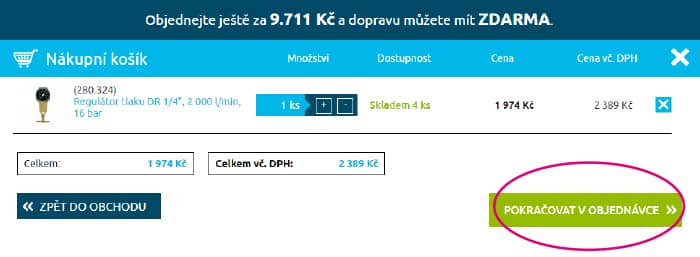
When you are done, click on CONTINUE ORDER (POKRAČOVAT V OBJEDNÁVCE). A summary will open.
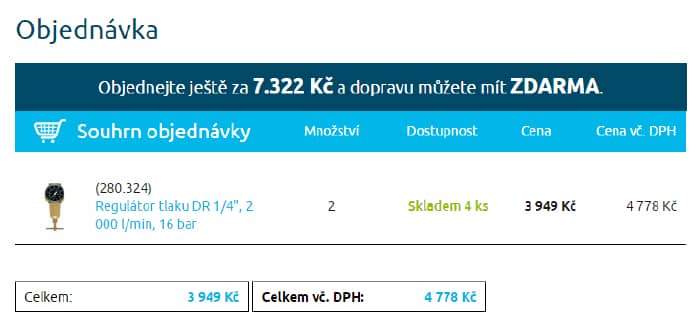
2. Choose your shipping and payment method
So that we can deliver the goods to you, check which shipping method we should use.
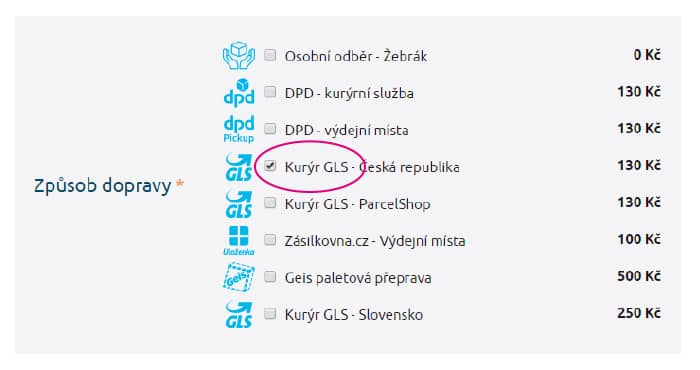
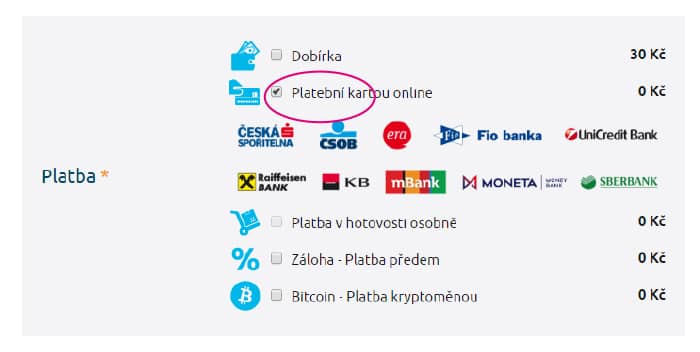
In the Payment section, click on Online card payment (Platební kartou online).
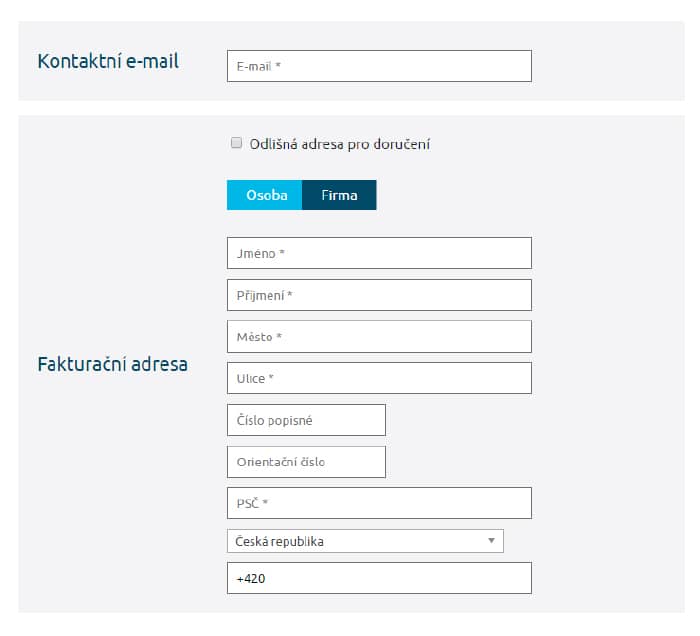
Then you just need to fill in:
- email address for sending the confirmed order and invoice
- billing address (and delivery address, if different from billing)
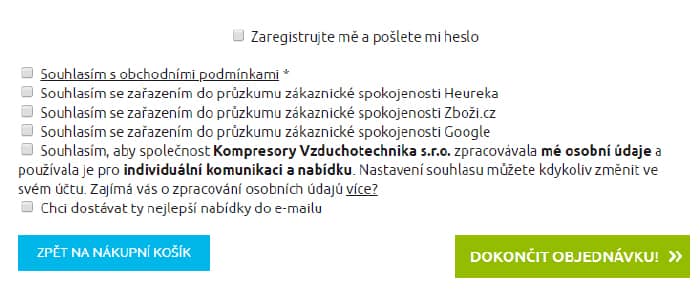
Finally, do not forget to agree to the terms and conditions! Inclusion in satisfaction surveys is not mandatory, nor is consent to the processing of personal data. However, without it, you will not know about our special offers...
After filling in all the information, click on COMPLETE ORDER (DOKONČIT OBJEDNÁVKU).
Attention! You will not be able to proceed if you have missed any of the items marked with an asterisk or if you have not followed the formatting, e.g., the phone number must be entered with the +420 prefix.
By clicking on Complete order, you will leave the www.kompresory-vzduchotechnika.cz portal and proceed to the Comgate payment gateway.
3. Pay for the goods on the Comgate payment gateway
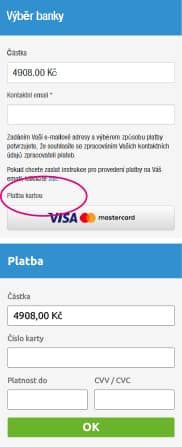
Online payments are processed through the highly secure Comgate payment gateway. You will reach it by clicking on COMPLETE ORDER. If you have filled in all the details correctly, the Payment selection window will open for the payment itself. You will automatically return to browsing the e-shop after filling in all the details in the Comgate payment gateway.
|
Bank selection
Card payment The payment will be made in two steps: Step 1 Step 2 |
|
|
Express transfer
|
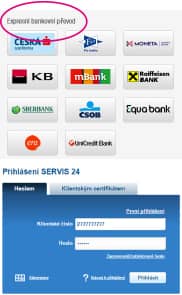 |
|
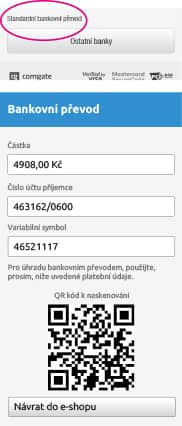
Standard transfer
You can view the online payment process on the Comgate gateway in the illustrative manual at this link |
 |